Back to projects
Back to projects

Qyzen: Academic Assessment & Classroom Management Platform
Qyzen: Academic Assessment & Classroom Management Platform
Web Application
Mobile App
A secure web app for managing classroom assessments, materials, scores, chats, and student progress.
A secure web app for managing classroom assessments, materials, scores, chats, and student progress.
Education Technology
Role Based Access (RBAC)
Overview
Overview
Qyzen is organized around three connected portals that reflect how an academic assessment workflow actually moves through a school or training environment.
The Admin Dashboard gives administrators a system-wide view of users, roles, permissions, academic terms, academic years, sections, subjects, educators, students, and assessment activity. It supports governance, access control, and academic monitoring.
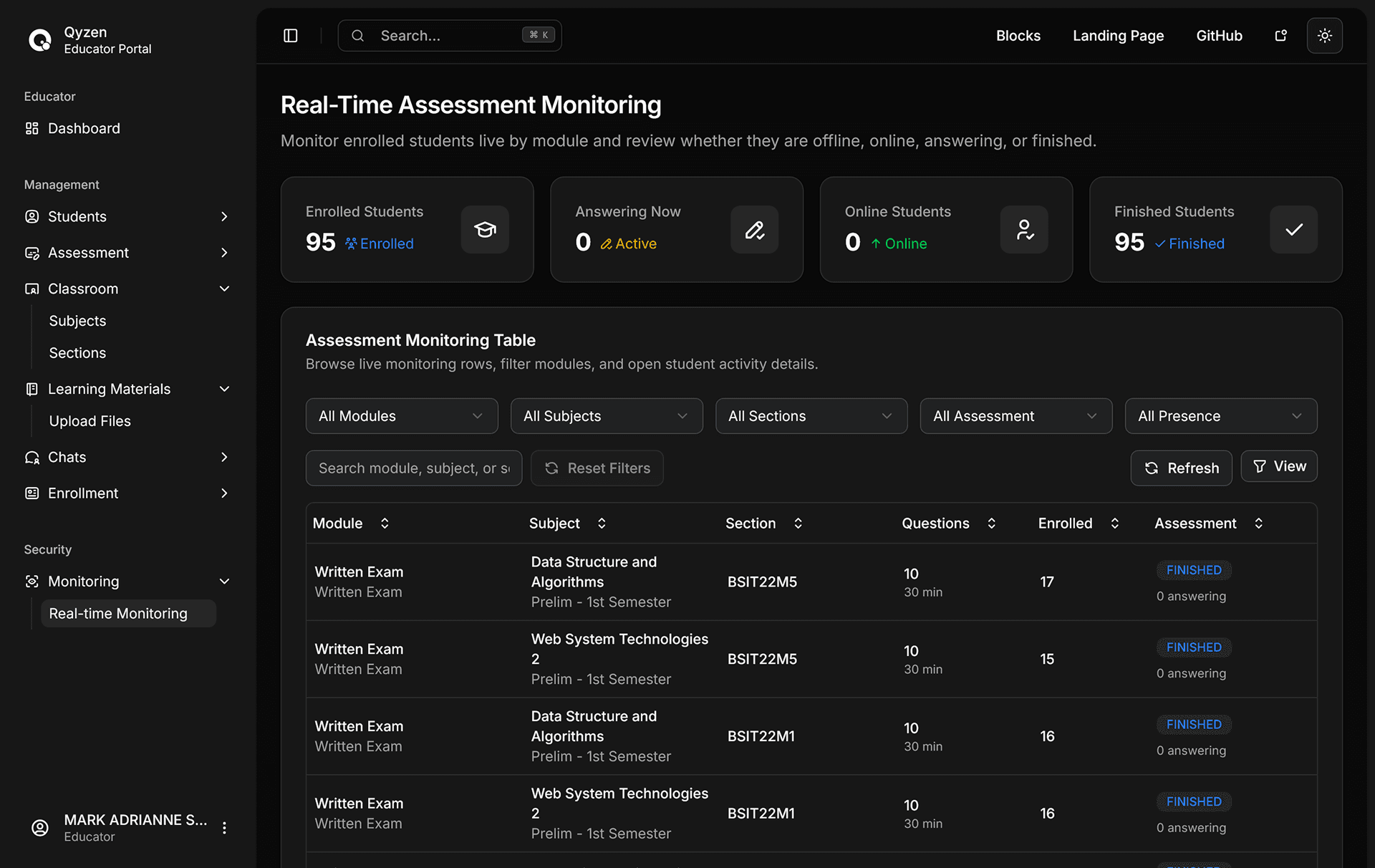
The Educator Portal helps teachers manage the classroom layer. Educators can create sections and subjects, enroll students, prepare assessment modules, upload or manage quiz questions, share learning materials, review scores, allow retakes, create group chats, and monitor student presence in real time.
The Student Portal focuses on the learner experience. Students can view available assessments, take quizzes, track scores and progress, access learning materials, join classroom group chats, and see retake or availability status from their dashboard.
Qyzen is organized around three connected portals that reflect how an academic assessment workflow actually moves through a school or training environment.
The Admin Dashboard gives administrators a system-wide view of users, roles, permissions, academic terms, academic years, sections, subjects, educators, students, and assessment activity. It supports governance, access control, and academic monitoring.
The Educator Portal helps teachers manage the classroom layer. Educators can create sections and subjects, enroll students, prepare assessment modules, upload or manage quiz questions, share learning materials, review scores, allow retakes, create group chats, and monitor student presence in real time.
The Student Portal focuses on the learner experience. Students can view available assessments, take quizzes, track scores and progress, access learning materials, join classroom group chats, and see retake or availability status from their dashboard.
The Problem
The Problem
Academic assessment workflows are often scattered across spreadsheets, messaging apps, file uploads, manual grading records, and separate classroom tools.
This creates friction for educators who need to prepare quizzes, assign them to the right class, monitor student activity, review performance, and follow up with learners who need another attempt. Students also lose clarity when assessment schedules, scores, learning materials, and communication are split across different systems.
Academic assessment workflows are often scattered across spreadsheets, messaging apps, file uploads, manual grading records, and separate classroom tools.
This creates friction for educators who need to prepare quizzes, assign them to the right class, monitor student activity, review performance, and follow up with learners who need another attempt. Students also lose clarity when assessment schedules, scores, learning materials, and communication are split across different systems.
Academic assessment workflows are often scattered across spreadsheets, messaging apps, file uploads, manual grading records, and separate classroom tools.
This creates friction for educators who need to prepare quizzes, assign them to the right class, monitor student activity, review performance, and follow up with learners who need another attempt. Students also lose clarity when assessment schedules, scores, learning materials, and communication are split across different systems.
The Goal
The Goal
Build a centralized, secure academic platform where administrators, educators, and students can manage assessment workflows with clear role boundaries.
Qyzen aims to reduce operational clutter by combining classroom setup, quiz delivery, learning materials, score tracking, retake management, notifications, group chats, and real-time monitoring in one application.
Build a centralized, secure academic platform where administrators, educators, and students can manage assessment workflows with clear role boundaries.
Qyzen aims to reduce operational clutter by combining classroom setup, quiz delivery, learning materials, score tracking, retake management, notifications, group chats, and real-time monitoring in one application.
Build a centralized, secure academic platform where administrators, educators, and students can manage assessment workflows with clear role boundaries.
Qyzen aims to reduce operational clutter by combining classroom setup, quiz delivery, learning materials, score tracking, retake management, notifications, group chats, and real-time monitoring in one application.
Core Features
Core Features
Role-based dashboards
Shows dashboards for admins, educators, and students with navigation.
Academic management
Manages users, roles, permissions, terms, and yearly settings centrally.
Assessment modules
Configures timed modules with schedules, shuffling, hints, and retakes.
Student assessment flow
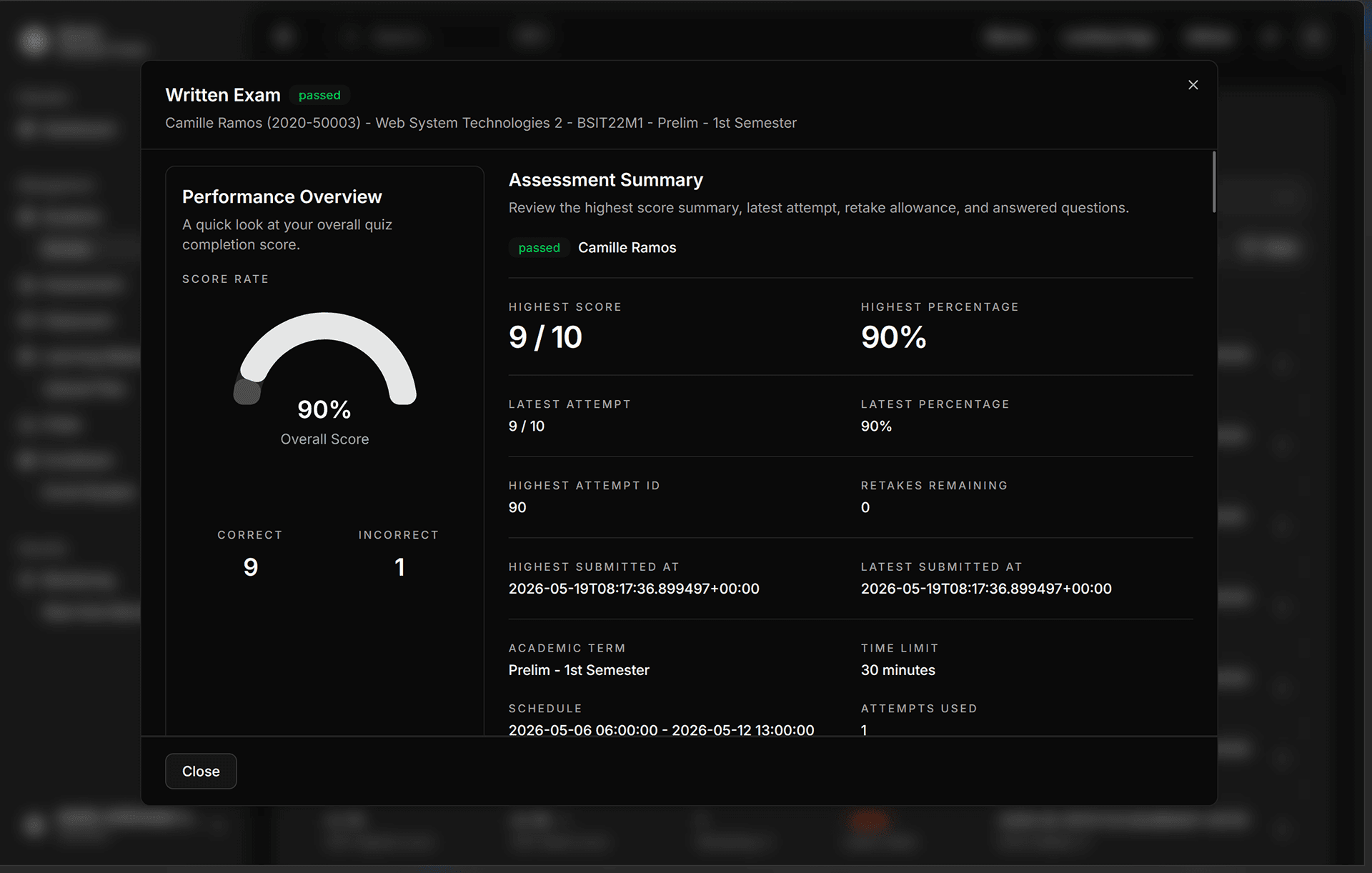
Guides quiz attempts, submissions, warnings, scores, and result reviews.
Secure access control
Protects sessions using Supabase authentication, redirects, and active checks.
Classroom setup
Helps educators organize sections, subjects, enrollments, and student records.
Quiz management
Supports manual quiz creation and Excel friendly spreadsheet uploads.
Real-time monitoring
Tracks student presence and live classroom activity across dashboards.
Role-based dashboards
Shows dashboards for admins, educators, and students with navigation.
Secure access control
Protects sessions using Supabase authentication, redirects, and active checks.
Academic management
Manages users, roles, permissions, terms, and yearly settings centrally.
Classroom setup
Helps educators organize sections, subjects, enrollments, and student records.
Assessment modules
Configures timed modules with schedules, shuffling, hints, and retakes.
Quiz management
Supports manual quiz creation and Excel friendly spreadsheet uploads.
Student assessment flow
Guides quiz attempts, submissions, warnings, scores, and result reviews.
Real-time monitoring
Tracks student presence and live classroom activity across dashboards.
Role-based dashboards
Shows dashboards for admins, educators, and students with navigation.
Secure access control
Protects sessions using Supabase authentication, redirects, and active checks.
Academic management
Manages users, roles, permissions, terms, and yearly settings centrally.
Classroom setup
Helps educators organize sections, subjects, enrollments, and student records.
Assessment modules
Configures timed modules with schedules, shuffling, hints, and retakes.
Quiz management
Supports manual quiz creation and Excel friendly spreadsheet uploads.
Student assessment flow
Guides quiz attempts, submissions, warnings, scores, and result reviews.
Real-time monitoring
Tracks student presence and live classroom activity across dashboards.
Development process
Development process
Plan
Plan
Plan
Scoped role-based academic workflows.
Scoped role-based academic workflows.
Scoped role-based academic workflows.
UI Structure
UI Structure
UI Structure
Designed dashboards, tables, dialogs, forms.
Designed dashboards, tables, dialogs, forms.
Designed dashboards, tables, dialogs, forms.
Build Application
Build Application
Build Application
Built with Next.js and Supabase.
Built with Next.js and Supabase.
Built with Next.js and Supabase.
Test and Ship
Test and Ship
Test and Ship
Authentication and database policies.
Authentication and database policies.
Authentication and database policies.
Plan
Plan
The project started with a role-first structure. Admins, educators, and students each needed different workflows, permissions, and dashboard views, so the app was organized around separate route groups and role-aware navigation.
The project started with a role-first structure. Admins, educators, and students each needed different workflows, permissions, and dashboard views, so the app was organized around separate route groups and role-aware navigation.
UI Structure
UI Structure
The interface uses reusable dashboard shells, data tables, modals, form components, charts, and theme-aware UI pieces. This keeps high-volume academic records easier to scan while still supporting complex workflows like quiz uploads, enrollment, score review, and retake controls.
The interface uses reusable dashboard shells, data tables, modals, form components, charts, and theme-aware UI pieces. This keeps high-volume academic records easier to scan while still supporting complex workflows like quiz uploads, enrollment, score review, and retake controls.
Build Application
Build Application
The application was implemented as a full-stack Next.js App Router project. Supabase data loaders and helper modules shape dashboard analytics, classroom records, assessment data, learning materials, group chats, and notifications before passing them into the UI.
The application was implemented as a full-stack Next.js App Router project. Supabase data loaders and helper modules shape dashboard analytics, classroom records, assessment data, learning materials, group chats, and notifications before passing them into the UI.
Secure and Verify
Secure and Verify
Security hardening focused on keeping sensitive academic records behind the right role boundaries. PostgreSQL row-level security policies, server-side auth checks, validation schemas, and targeted SQL changes protect student scores, educator-owned records, and admin-only operations.
Security hardening focused on keeping sensitive academic records behind the right role boundaries. PostgreSQL row-level security policies, server-side auth checks, validation schemas, and targeted SQL changes protect student scores, educator-owned records, and admin-only operations.
Project Tech Stacks
Project Tech Stacks
Development Tools
Development Tools
Development Tools
HTML
CSS
JavaScript
Tailwind CSS
Shadcn
React
Next.js
Supabase
NodeJS
Project Gallery